

Why Desktop Accounting Software Is Costing You Time and Money
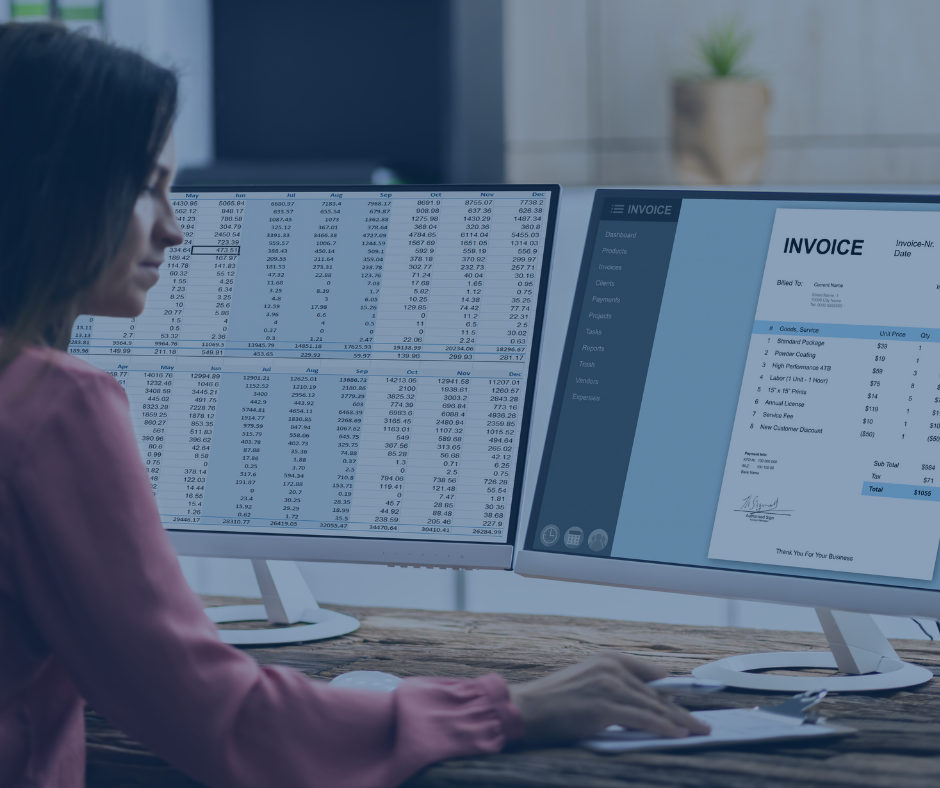
Many businesses stay on desktop accounting software for one simple reason: it still works. At least, it seems to.
The invoices go out. Bills get entered. Reports can be pulled. The month gets closed. On the surface, nothing feels broken enough to force a change. But under that surface, many business owners and leaders are paying for outdated systems in ways that do not always show up as a line item on the profit and loss statement.
The real cost is often hidden in delays, duplicate work, limited visibility, weak collaboration, and slower decisions.
If your team is still tied to a desktop accounting system, this guide will help you understand where the friction shows up, why it matters, and how modern cloud-based accounting workflows can improve efficiency, reporting, and financial clarity.
Why businesses stay on desktop accounting software longer than they should
Desktop accounting software often stays in place because it feels familiar. Your team knows how to use it. Your historical data lives there. Processes have been built around it. And replacing a core financial system can feel disruptive.
That logic is understandable. But familiar does not always mean efficient.
A company may keep using desktop software because the direct subscription cost appears lower than a cloud platform. What gets missed is the broader operational impact. When your accounting system slows down approvals, limits access, creates extra manual steps, and delays reporting, the true cost goes far beyond software fees.
This is where many leaders get stuck. They compare software price tags instead of comparing business outcomes.
Bottom line: the cheapest-looking system can become the most expensive one to keep.
The hidden cost of limited accessibility
One of the biggest limitations of desktop accounting software is access.
In a desktop environment, your system is often tied to a specific computer, a local server, a hosted setup, or a remote login process that is slower and less flexible than modern cloud access. That creates friction right away.
What this looks like in practice
A controller needs to review numbers from home. A department leader wants budget visibility while traveling. An outside accountant needs access during month-end close. A business owner wants to check cash flow before approving a major purchase.
With desktop software, these simple needs can turn into delays:
someone has to log out so someone else can log in
files need to be sent back and forth
remote access is slow or unreliable
reporting has to wait until the right person is at the right machine
Those delays add up.
Why it matters
Important financial decisions don't wait for you to be at your desk. Business leaders require access to up-to-date, accurate data on the go. If they can't get it, key decisions are put on hold, approvals stall, and your team ends up wasting valuable time fighting the system instead of using the financial insights it's supposed to provide.
Cloud-based workflows solve this by making financial data accessible securely from anywhere with appropriate permissions. That does not just add convenience. It improves responsiveness across the business.
Bottom line: when your accounting system is hard to access, your business becomes slower to act.
Desktop software makes collaboration harder than it should be
Modern businesses rely on shared workflows. Accounting does not operate in isolation anymore.
Finance needs input from operations. Leadership needs visibility into results. Department heads need spending data. External advisors need clean access for review, planning, and compliance support.
Desktop software often creates bottlenecks because collaboration is not built into the workflow.
Common collaboration problems
With desktop systems, teams often rely on:
emailed spreadsheets
exported PDF reports
manual status updates
workarounds for approvals
duplicate data entry between departments
That creates version control problems and unnecessary risk.
For example, one leader may be making decisions from a report exported three days ago, while accounting has already updated the books. Another manager may be tracking expenses in a separate spreadsheet because they do not have access to real-time financial data. Meanwhile, the accounting team becomes the middleman for every request.
The business impact
When collaboration is weak, month-end closes take longer, approvals become inconsistent, and leadership has less confidence in the numbers. Instead of creating a clear flow of information, the system creates dependency on a few people who know how to pull data and explain it.
Cloud-based systems improve this by supporting role-based access, shared dashboards, automated workflows, and easier communication around transactions and reports.
Bottom line: if your accounting system depends on too many manual handoffs, it is costing your team time every week.
Manual work is quietly draining productivity
Many businesses do not realize how much manual work their desktop accounting software creates because the process has been normalized over time. When teams have used the same system for years, they stop questioning the extra steps.
But those extra steps carry a real cost.
Where the manual burden shows up
Desktop workflows often require more manual effort in areas like:
data entry
bank reconciliations
invoice processing
bill approvals
document attachment and storage
report exports
spreadsheet cleanup
recurring journal entries
intercompany tracking
customer and vendor follow-up
Each task may seem minor on its own. Together, they can consume a significant amount of staff time every month.
Imagine an accounting team that spends hours downloading transactions, keying in data, emailing backup files, chasing invoice approvals, and rebuilding reports in Excel. None of that work directly improves margins or drives growth. It is administrative effort caused by system limitations.
Why manual work is expensive
Manual work increases labor cost, but that is only part of the problem. It also increases the chance of:
coding errors
duplicate entries
missed approvals
delayed closes
incomplete documentation
inconsistent reporting
The more your process depends on people remembering the next step, the more fragile the process becomes.
Cloud-based accounting workflows reduce this burden with automation, integrated bank feeds, digital approval chains, recurring transaction rules, and document management tied directly to transactions.
Bottom line: if your accounting team spends too much time moving data around, your software is likely part of the problem.
Reporting becomes slower, weaker, and less useful
Business leaders do not need more reports. They need better ones.
Desktop accounting software can make reporting harder in two ways: it slows down access to information, and it limits how easily that information can be analyzed and shared.
The reporting problem
In many desktop systems, reporting requires extra effort:
exporting data into spreadsheets
manually reformatting reports
combining information from multiple locations or entities
waiting for accounting to prepare custom reports
working with stale data instead of live metrics
That means the report you review may already be out of date by the time it reaches you.
For leadership teams, this creates a serious issue. If reporting is delayed or difficult to produce, decisions get made based on instinct, partial information, or old numbers. That is not just inconvenient. It increases financial and operational risk.
What better reporting supports
Modern cloud-based systems can support faster and more usable reporting by making it easier to:
monitor cash flow in real time
review dashboards by department, class, location, or entity
track budgets against actuals
share reports with internal and external stakeholders
improve visibility into trends before they become bigger problems
That matters because good decisions depend on timely financial clarity.
Bottom line: if your reporting takes too long to produce or explain, your accounting system is weakening your decision-making process.
Outdated systems create higher operational risk
This is the part many businesses underestimate.
Desktop accounting software is not just an efficiency issue. It can also become a control issue.
When your process relies on local files, manual backups, scattered approvals, and disconnected documents, risk increases.
Risks that often grow over time
These systems can make it harder to maintain:
consistent internal controls
secure access management
clear audit trails
approval accountability
reliable backups
business continuity in the event of disruption
If one person controls too much of the process because the system is hard to share, that creates dependency risk. If backups are inconsistent, that creates recovery risk. If supporting documents live in email folders instead of in the accounting workflow, that creates documentation risk.
For growing organizations, these issues become more serious as transaction volume increases and financial oversight becomes more complex.
Cloud-based workflows can improve control by centralizing access, documenting approvals, preserving transaction history, and reducing reliance on side systems.
Bottom line: outdated accounting systems can expose your business to unnecessary operational risk even if daily tasks still appear to function.
The financial cost of staying on desktop software
The cost of outdated accounting software is not limited to IT support or licensing.
It shows up across the business.
Direct and indirect costs to consider
Desktop systems can increase:
staff time spent on low-value manual work
delays in billing and collections
time required for month-end close
reliance on outside support for system maintenance
mistakes caused by duplicate entry or inconsistent workflows
lost productivity from poor collaboration
opportunity cost from slower decisions
Here is the real issue: these costs are often spread across different departments, so they do not get connected back to the software itself.
A business might think, “Our accounting software is inexpensive.” At the same time, leadership is frustrated by slow reporting, the finance team is buried in administrative work, operations cannot get timely numbers, and the owner lacks confidence in real-time visibility.
That is not low cost. That is hidden cost.
Bottom line: if your system saves money on paper but creates friction everywhere else, it is not truly saving money.
What modern cloud-based accounting workflows do better
Cloud-based accounting is not just desktop software with internet access. The bigger difference is workflow design.
Modern systems are built to support how businesses actually operate today: across teams, across locations, and across devices.
Key benefits of cloud-based workflows
A strong cloud-based setup can help your business:
access financial data securely from anywhere
streamline collaboration across teams and advisors
automate repetitive accounting tasks
improve approval workflows
attach source documents directly to transactions
shorten reporting timelines
increase visibility into cash flow and performance
support cleaner, more scalable processes as the business grows
This matters most when your organization is growing or becoming more complex. What worked for a smaller business with one bookkeeper and one office often starts to break down when more stakeholders need access and faster answers.
A practical example
Consider a business with multiple department leaders who need budget visibility, a finance team closing the books monthly, and an outside advisor reviewing performance. In a desktop system, that often means repeated report requests, exported files, spreadsheet manipulation, and delays.
In a cloud-based workflow, those same stakeholders may be able to access approved dashboards, submit digital approvals, review supporting documents, and collaborate without creating extra administrative work for accounting.
Bottom line: modern accounting workflows give businesses more speed, more visibility, and more scalability.
Signs your current accounting system is holding you back
Not every desktop system needs to be replaced immediately. But many businesses are further behind than they realize.
Here are some clear warning signs:
your team depends heavily on spreadsheets to fill software gaps
reporting takes too long after month-end
only one or two people can easily access the system
remote work creates accounting bottlenecks
invoice and bill approvals happen through email
you struggle to get real-time financial visibility
your accounting team spends too much time on repetitive tasks
data sharing with advisors is slow and manual
system maintenance feels like a recurring headache
leadership lacks confidence in the timeliness of financial information
If several of these sound familiar, the issue may not be your people. It may be your platform.
Bottom line: recurring friction is usually a systems problem before it is a personnel problem.
How to evaluate whether it is time to move on
Changing accounting systems is a serious decision. It should be made carefully. But it should also be evaluated honestly.
A good starting point is to assess your current system in five areas:
1. Accessibility
Can the right people get secure access to the information they need without delays or workarounds?
2. Efficiency
How much manual work exists because the system cannot automate or streamline key tasks?
3. Collaboration
Does the system support shared workflows across accounting, leadership, operations, and outside advisors?
4. Reporting
Can you get timely, useful financial reports that support decisions, not just compliance?
5. Scalability
Will this system still support the business well in two to three years?
If the answers raise concerns, it may be time to compare the cost of change against the cost of staying the same.
That is an important shift in thinking. Many businesses focus only on migration cost. The better question is this: what is the ongoing cost of keeping a system that slows down the business every month?
A smarter next step for business leaders
You do not need to replace software just because something newer exists. But you should replace it if the current system is creating drag on efficiency, visibility, and decision-making.
For business owners and leaders, this is not only an accounting issue. It is an operational issue.
Your accounting system affects:
how quickly you get answers
how confidently you make decisions
how efficiently your team works
how well your controls scale
how prepared your business is for growth, change, or disruption
That makes this a leadership decision, not just a software decision.
Conclusion
Desktop accounting software may feel familiar, but familiarity can be expensive. When your system limits access, slows collaboration, increases manual work, weakens reporting, and creates hidden operational costs, it is no longer just a legacy tool. It is a barrier.
If your business is working harder to manage the accounting system than to benefit from it, that is a sign the system may be holding you back.
Here are the key takeaways:
limited access slows decisions and approvals
weak collaboration creates bottlenecks and rework
manual processes consume time and increase error risk
delayed reporting reduces financial clarity
outdated systems often cost more in operations than they save in software fees
cloud-based workflows can improve efficiency, visibility, and scalability
Take a close look at how your current accounting system affects your team, your reporting, and your leadership decisions. If the process feels slower, more manual, and more dependent on workarounds than it should, it may be time to assess whether your software is still serving the business well.


